Key Points: Casement Window Basics
1. Change dimensions
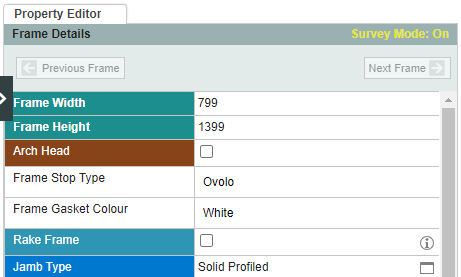
Select the frame and then change the width and height. Casement sash can also be selected, and the width and height changed, between the lines.
2. Remove a frame
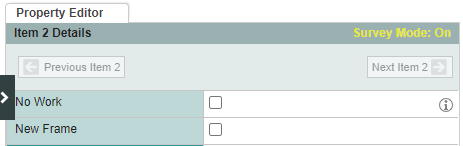
When quoting for new sashes only, select item, select the item, then untick the box new frame.
3. Change how a sash is hung
Select casement sash, then click the required option.

4. Change sash opening
To change whether the sash opens inwards or outwards, or to choose between flush, stormproof or tilt and turn options, select casement sash, then click the required option next to sash type. After choosing an option, apply the change to all casement sashes in the drawing, or to the selected sash only.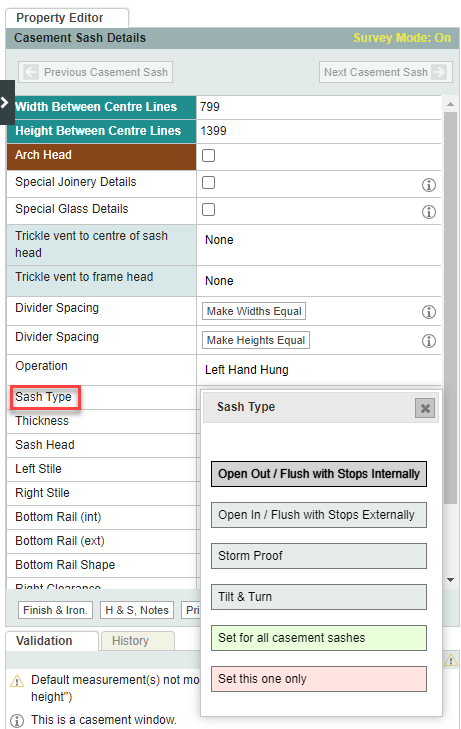
5. Change casement type
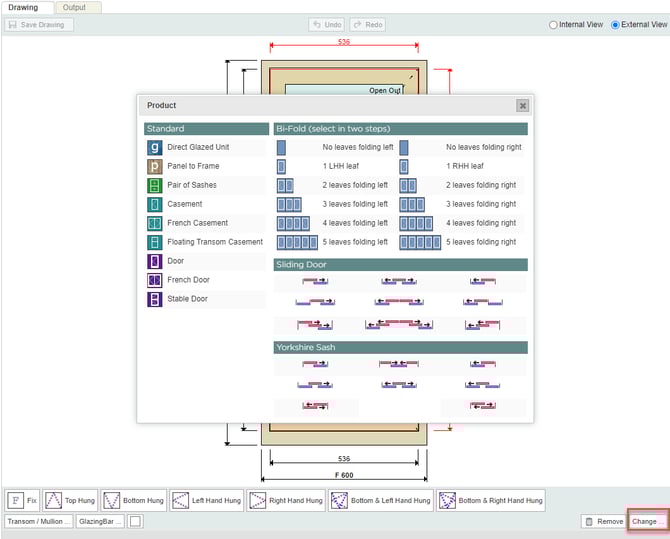
To change a single casement to a pair of French casements or a floating transom casement or mock sash, select casement sash, click change, then choose the relevant option.