Key Points: Switching Sash Window Type Automatically
1. Find the default value
From the main page, go to DrawingBoard config, then default value.


2. Find the frame
In the part filter, search for pair, and in the property filter, search for frame.

3. Set default frame jamb type
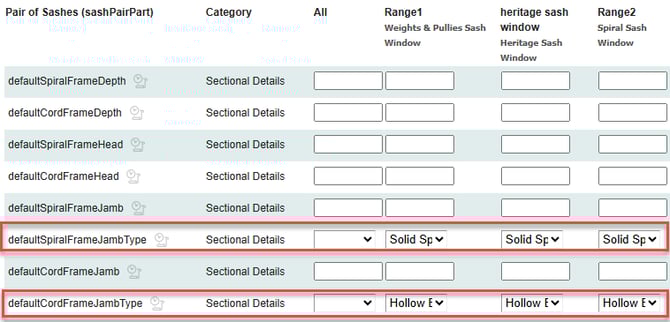
For all relevant ranges, set defaultSpiralFrameJambType to solid spiral forsash, and defaultCordFrameJambType to hollow box.
4. Update frame details
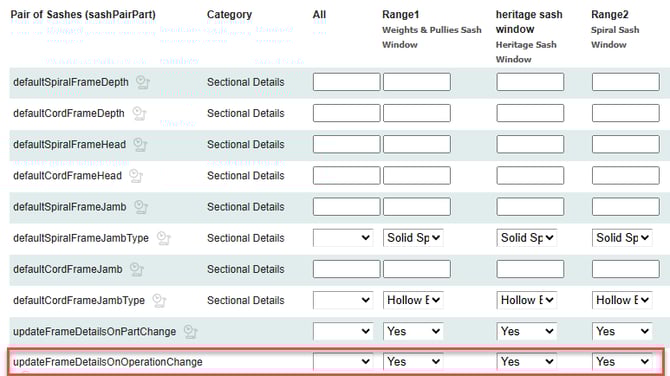
For all relevant ranges, set updateFrameDetailsOnOperationChange to yes.