
Key Points: Determining Size of Duplex bars
1. Understand the duplex bar selector
The duplex bar selector is an editor that allows rules to be configured to determine what size of duplex bars will appear on the glass cutting list for duplex windows. Duplex bars are the spacer bars that go behind astragal (stuck-on) glazing bars.
2. Access the duplex bar selector
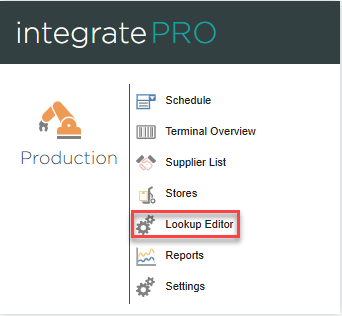
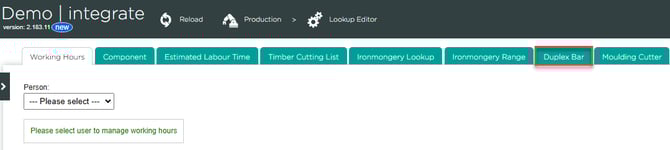
In integratePRO, from the main page click lookup editor , then duplex bar.
3. Create a group
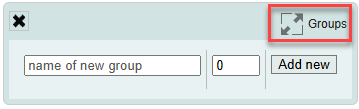
Create a group to start adding rules. Click groups in the top right, type the name of the group, then click add new. Separate groups can be created, for example, for different ranges, a group for sash windows, a group for casement windows.
4. Create a new rule
Click add new selector rule to create a new rule.

5. Write the new rule
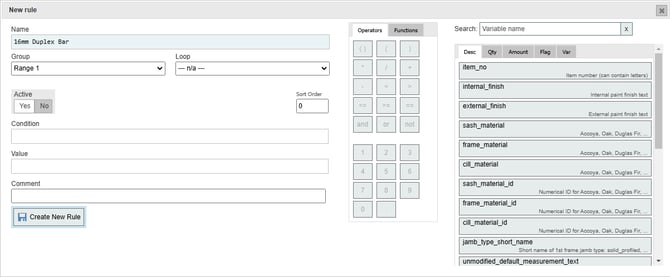
Start writing the new rule by giving it a name. Select which group the new rule belongs to, and choose a loop. It is recommended leaving the loop field set to N/A, so the rule is run once for each item.
6. Sort the rules and assign priority
Use sort order to determine where the new rule appears in the list of rules.
7. Trigger the rule
The condition determines when the rule is triggered. For the example condition below, the rule will trigger for any item not set to individual panes/heritage units, and has more than one glazing bar.

Note: For more on information on writing conditions, see the article on working with rule editors.
8. Determining information shown on the glass cutting list
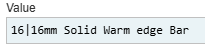
The value determines the text that appears on the glass cutting list, and the width of the bar(s) as displayed on the diagram. The width of the bar should be written as a number, followed by the pipe symbol (|), followed by the desired text to be shown on the glass cutting list.
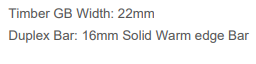
This would appear on the glass cutting list like this:
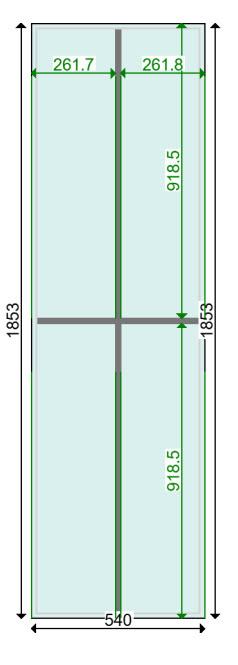
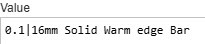
Alternatively, you can get the sightline rulers to measure to the centre of the bars by writing the value like this, with 0.1 before the pipe symbol.
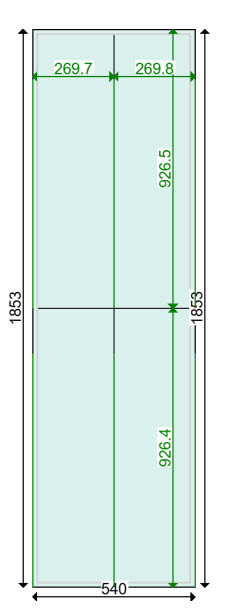
9. Writing rules for different bar types
More complex rules can be written to specify different types of duplex bar for different ranges and thicknesses of glazing bar. The following rules will trigger when range one is selected and glazing bar width on the drawing is set to 22mm:

Ensure active is set to yes, and click create new rule.